Sharing & device review
Review your Circle audience and the phones registered to your own membership.
- Free
- Silver
- Gold
Understand Sharing & device review.
Review your Circle audience and the phones registered to your own membership.
Try it in the app
- Open Settings → Who can see me to review the current Circle audience, or Circle → Manage Circle → Your devices in this Circle to review your own registrations. Each has a separate entry; an expired-service screen also provides the privacy entry.
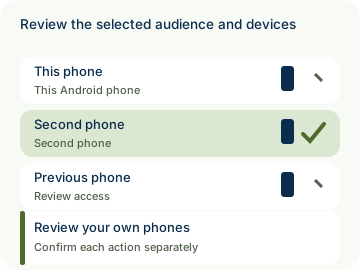
- Review This phone and Another phone. If Remove pairing is available for another approved registration, select it and read the confirmation before confirming.
- Use Check status for a saved request. Pairing removal, a verified linked-session sign-out and completed encrypted-access protection are separate results; pending or recovery messages require attention.
Example: Alex checks who belongs to Home Circle, then reviews the phones registered to Alex’s own membership. The screen does not expose other members’ phone or sign-in-session details.
- Participation is voluntary. New optional collection or sharing for an under-13 member needs their actual parent’s authorization covering those purposes; an administrator role alone is not parental authority. Existing privacy rights and ordinary sharing choices remain separate.
- Private by design: review reflects the current authorized account and selected Circle. Viewing the list takes no removal action. Confirmed removal concerns that Circle registration, not every registration or sign-in on the physical phone, and cannot erase saved copies. Ending its linked account session requires verified authority over that same account. Offline remaining source phones or missing signing-authority evidence can leave encrypted protection pending or require recovery; server acceptance alone is not completed key rotation. Existing Leave keeps its actual Circle-participation consequences.

How to use Sharing & device review
Illustrative walkthrough. Fictional examples, not a live app, real locations or a safety test. These controls never change your account, contact anyone, send an SOS, request location or make a network request.
- Where to open it
- Settings → Who can see me, or Circle → Manage Circle → Your devices in this Circle
- What else is required
- Choose the audience or device review entry. Device review is limited to your membership in the selected Circle; removal has a separate explicit confirmation.
Review your Circle
Alex checks who belongs to the selected Home Circle.
Audience: Current members
Choose deliberately
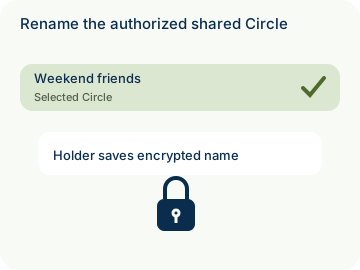
Alex opens Your devices in this Circle and reviews Another phone. When available for an approved registration, Remove pairing opens a confirmation explaining its scope. Other members’ device lists are not shown.
Your devices in this Circle: Confirm separately
Check each result
Alex uses Check status. Circle-pairing cutoff, verified linked-session sign-out and encrypted-access completion are distinct. Offline phones or missing signing-authority evidence may require waiting or recovery. Saved copies are not erased.
Protection: Pending is not complete
Stage 1 of 3. Paused.
Reduced motion is enabled. Use the stage buttons to explore at your own pace.