Shared Circle name
An authorized current holder can change the shared name of the selected Circle.
- Free
- Silver
- Gold
Understand Shared Circle name.
An authorized current holder can change the shared name of the selected Circle.
Try it in the app
- Open Circle → Manage Circle → Circle name in the intended Circle.
- If you are authorized to rename it, enter a name of 1–40 characters and choose Save shared name.
- Other members can use Refresh Circle name. An accepted encrypted update is not proof that every phone has refreshed.
Example: Alex renames the selected Circle Weekend friends. Emma sees the new name when her phone receives a verified update.
- Participation is voluntary. New optional collection or sharing for an under-13 member needs their actual parent’s authorization covering those purposes; an administrator role alone is not parental authority. Existing privacy rights and ordinary sharing choices remain separate.
- Private by design: the shared name is encrypted. Renaming does not change the Circle identity, membership, consent, sharing choices or anyone’s authority. An unconfirmed update keeps its uncertainty visible.
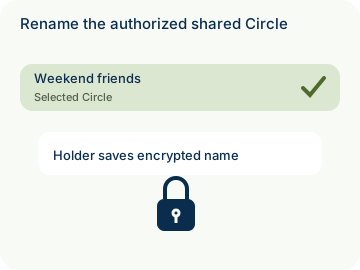

How to use Shared Circle name
Illustrative walkthrough. Fictional examples, not a live app, real locations or a safety test. These controls never change your account, contact anyone, send an SOS, request location or make a network request.
- Where to open it
- Circle → Manage Circle → Circle name
- What else is required
- Only an authorized current holder can enter 1–40 characters and choose Save shared name. Other members can use Refresh Circle name; a rename does not change permissions.
Choose the intended Circle
Alex checks the selected Home Circle before opening Circle name. A different Circle keeps its separate name and permissions.
Selected Circle: Home Circle
Save with the required authority
As the authorized holder, Alex enters Weekend friends and chooses Save shared name. Other members do not gain this save action merely by opening the page.
Holder action: Save shared name
Refresh and verify the result
Emma uses Refresh Circle name. The new encrypted name appears only after a verified update; an unconfirmed result does not replace the old name.
Member action: Refresh Circle name
Stage 1 of 3. Paused.
Reduced motion is enabled. Use the stage buttons to explore at your own pace.