Temporary Circles
A separate, time-limited Circle for a trip or event, with an end time up to 14 days away. The creator can choose Extend before it ends; each member chooses Keep sharing to share past the old end time.
- Free
- Silver
- Gold
Free: one at a time. Silver and Gold: more than one at a time; they end when the paid plan ends.
Understand Temporary Circles.
Create a separate temporary Circle for an event or trip, with its own members, encrypted name and information, and an end time up to 14 days away. The creator can choose Extend any time before it ends, up to 14 days from now each time. Each member keeps sharing past the old end time only after tapping Keep sharing. For a child under 13, the child’s parent or guardian must confirm again; without that confirmation, the Circle is not extended for anyone. It does not replace or extend a permanent Circle or the paid subscription. Each member starts with ordinary sharing off for the new Circle. Expiry or ending the group stops future participation; it cannot erase a copy that someone already received, and a powered-off phone performs local cleanup when it next runs.
Try it in the app
- An eligible adult Circle holder opens Circle → Manage Circle → Temporary Circle and chooses a name and an end time up to 14 days away.
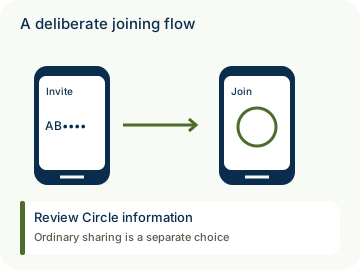
- Invite people who use the app with an invitation for this temporary Circle. There is no browser guest-tracking link.
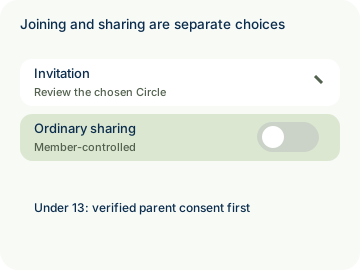
- Ordinary location sharing starts off for this Circle. Each member chooses whether to enable it; ordinary sharing with other Circles stays separate.
- Only a verified parent or guardian can authorize their own under-13 child after reviewing the exact Circle, audience, expiry and source-consent details. An administrator role alone is not parental authority.
- The creator can choose Extend any time before the Circle ends, up to 14 days from now each time. Each member keeps sharing past the old end time only after tapping Keep sharing. For a child under 13, the child’s parent or guardian must confirm again; without that confirmation, the Circle is not extended for anyone.
- Use End this Circle to stop the group early. The current end time stops future temporary access; local cleanup runs when a phone can next execute. Received copies on another member’s phone cannot be recalled.
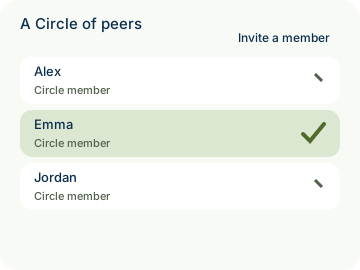
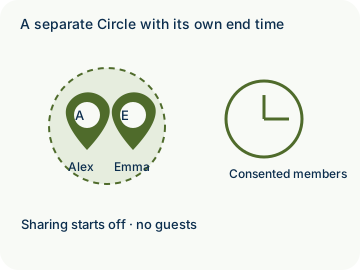
Example: For a weekend in Miami, Alex creates a separate Circle ending Sunday evening. Before it ends, Alex chooses Extend. Emma chooses Keep sharing to share past the old end time; the permanent Home Circle remains separate.
- A valid existing parent verification may be reused; the child-specific authorization and guardian attestation are still required. Ordinary roster changes within that authorized audience do not require another approval tap. Extending the Circle requires the parent or guardian of each child under 13 to confirm again, or the Circle is not extended for anyone.
- Private by design: the temporary Circle uses its own encrypted group data and expiry. A deliberate SOS or check-in may include location while ordinary sharing is off. Service still depends on the account’s existing paid entitlement. It does not replace or extend a permanent Circle or the paid subscription. It has no delegated administrators or shared temporary Places; saved Places on a member’s own phone remain local.

How to use Temporary Circles
Illustrative walkthrough. Fictional examples, not a live app, real locations or a safety test. These controls never change your account, contact anyone, send an SOS, request location or make a network request.
- Where to open it
- Circle → Manage Circle → Temporary Circle
- What else is required
- An eligible adult holder chooses an end time up to 14 days away. Each invited member makes a separate participation and ordinary-sharing choice. The creator can choose Extend any time before it ends, up to 14 days from now each time. Each member keeps sharing past the old end time only after tapping Keep sharing.
Create a separate audience
Alex prepares a weekend Circle in Miami ending Sunday evening. This does not replace or extend the permanent Home Circle or the paid subscription.
Separate Circle: Weekend in Miami
Invite and choose
Members join through the app. Ordinary sharing starts off; the actual parent must authorize their own under-13 child for this audience and its purposes. To extend the Circle for a child under 13, the child’s parent or guardian must confirm again; otherwise, the Circle is not extended for anyone.
Participation: Intentional • Consented
Extend or end the group
Before it ends, the creator can choose Extend; each member chooses Keep sharing to share past the old end time. The creator can also end it early. The current end time stops future access; an offline phone erases locally when it can next execute. Received copies cannot be recalled.
End time: Up to 14 days from now each time
Stage 1 of 3. Paused.
Reduced motion is enabled. Use the stage buttons to explore at your own pace.