← All features
SOS & emergency
Countdown cancel
An optional countdown lets you cancel an SOS before it sends.
How it works
Peace of mind, made simple.
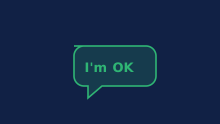
In the SOS screen, one tap on the send button starts sending by default. You can switch on an optional 5- or 10-second countdown in Settings, Screen & Options, SOS countdown. Tapping send then starts the countdown, and you can cancel with “I'm OK” while it is still running. If the countdown ends or you choose to send now, sending starts; cancelling cannot recall an alert already sent.
- Location sharing is consent-based. See the rules for children under 13.
- Private by design: your location stays end‑to‑end encrypted, and nothing is ever sold.
Kinfara is not 911 and is not a replacement for emergency services. It does not dispatch responders and will never automatically call 911. It is designed to alert all members of your circles, but delivery and timing are not guaranteed. In a real emergency, always call 911.
Kinfara
More in SOS & emergency