Bubble
For a while, share an approximate area with this Circle. Other Circles may still receive a precise location. An SOS ends your bubbles and may include the location available on your phone. If Precise location is off, it may be approximate. Delivery is not guaranteed.
- Free
- Silver
- Gold
Understand Bubble.
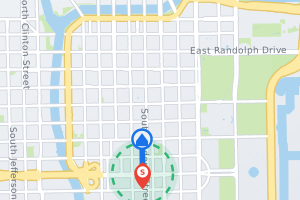
For a while, your Circle sees only an area around you, not your exact location. Your own phone creates the bubble: it picks an area center that is not your exact spot and puts only that center, the size you chose and the end time inside the end-to-end encrypted location report for this Circle. Other Circles may still receive a precise location. The bubble covers the Circle shown on the map; your other Circles keep their own setting. It ends when the time you chose runs out or when you tap Pop bubble. If your phone gets a precise location (accurate to 50 meters or better) outside the area, the bubble ends and your exact location is sent. If you send an SOS, every bubble ends and the SOS may include the location available on your phone; if Precise location is off, it may be approximate. Delivery is not guaranteed. A check-in sent during a bubble shows the area, unless its precise location is outside the area; then the bubble ends.
Try it in the app
- Open Map while you share your location with the Circle shown. At the top of the map, tap Exact (it reads Bubble while a bubble is on).
- In Share my location as, tap Bubble. Choose a size (1 mi, 5 mi, 10 mi or 25 mi; shown in km if your distance unit is km) and a time (1 hour, 2 hours, 4 hours or 6 hours), then tap Start bubble. If the app says “Waiting for your location. Try again in a moment.”, wait for a location and try again.
- Your Circle sees Approximate area (Bubble) and an area on the map instead of your exact spot. Tap Pop bubble, or Exact, to end it early; it also ends when the time runs out.
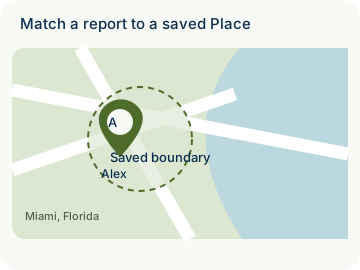
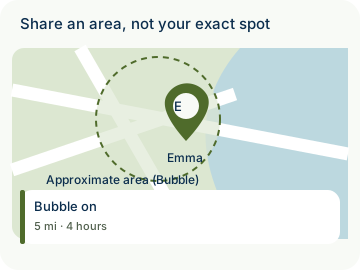
Example: Emma goes to a concert in Miami and starts a 5 mi bubble for 4 hours with Home Circle. Home Circle sees an approximate area; other Circles may still receive a precise location. An SOS ends her bubbles and may include the location available on her phone. If Precise location is off, it may be approximate. Delivery is not guaranteed.
- Location sharing is consent-based. Bubble is not available on the account of a member under 13: there the Bubble choice shows “Bubble is not available on this account.”
- Private by design: your phone creates the bubble and puts only the area (a center that is not your exact spot, a size and an end time) inside the end-to-end encrypted location report for this Circle. Other Circles may still receive a precise location. Nothing is ever sold.
How to use Bubble
Illustrative walkthrough. Fictional examples, not a live app, real locations or a safety test. These controls never change your account, contact anyone, send an SOS, request location or make a network request.
- Where to open it
- Map → Exact (top of the map, while you share your location)
- What else is required
- In Share my location as, tap Bubble, choose 1 mi, 5 mi, 10 mi or 25 mi and 1 hour, 2 hours, 4 hours or 6 hours, then tap Start bubble. Pop bubble ends it early. Not available on the account of a member under 13.
Choose Bubble
Emma shares her location with Home Circle. She taps Exact at the top of the Map, then Bubble in Share my location as.
Share my location as: Bubble
Pick a size and a time
Emma picks 5 mi and 4 hours and taps Start bubble. Her phone puts only the area into her encrypted location report; her Circle sees Approximate area (Bubble).
Bubble: 5 mi · 4 hours
See how it ends
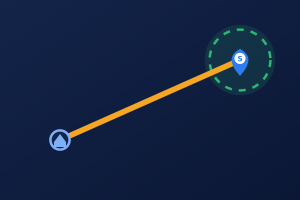
The bubble ends when the time runs out, when Emma taps Pop bubble, when her phone gets a precise location outside the area, or when she sends an SOS. Then her Circle again receives her exact location.
Ends: Time · Pop bubble · Left the area · SOS
Stage 1 of 3. Paused.
Reduced motion is enabled. Use the stage buttons to explore at your own pace.